
Prompt Coach is a prebuilt agent designed to enhance your Microsoft 365 Copilot Chat experience. Whether you’re new to prompt engineering or looking to refine your skills, Prompt Coach can help you create well-structured, impactful prompts to use within conversational AI tools. As AI becomes more integrated into our daily lives, the ability to communicate effectively with these systems is increasingly important. Clear prompts help AI understand your needs better, leading to more accurate and useful responses.
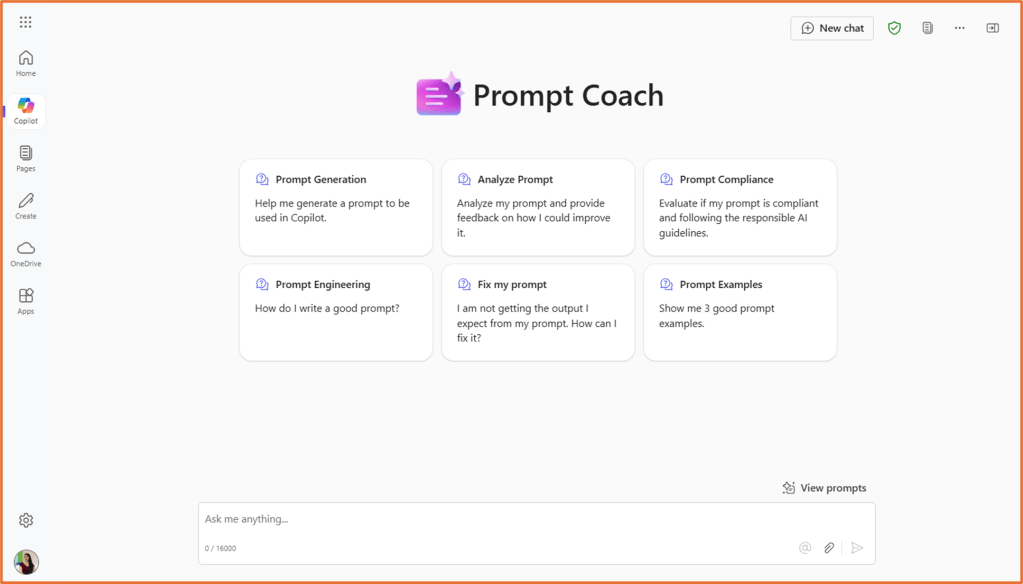
Prompt Coach can assist with:
- Prompt Examples: Examples of well-structured prompts are provided along with explanations of why they are effective, so users can learn from them.
- Prompt Generation: Guidance is provided through the process of creating a prompt by asking for the necessary information and then generating a prompt that meets the user’s needs.
- Prompt Analysis: Analysis of an existing prompt is offered to provide detailed feedback on how to make it more effective.
- Prompt Compliance: Checking if a prompt follows Responsible AI guidelines, considering privacy, confidentiality, bias, fairness, and transparency.
- Fixing Prompts: Assistance is available to identify problems with a prompt and provide an improved version.
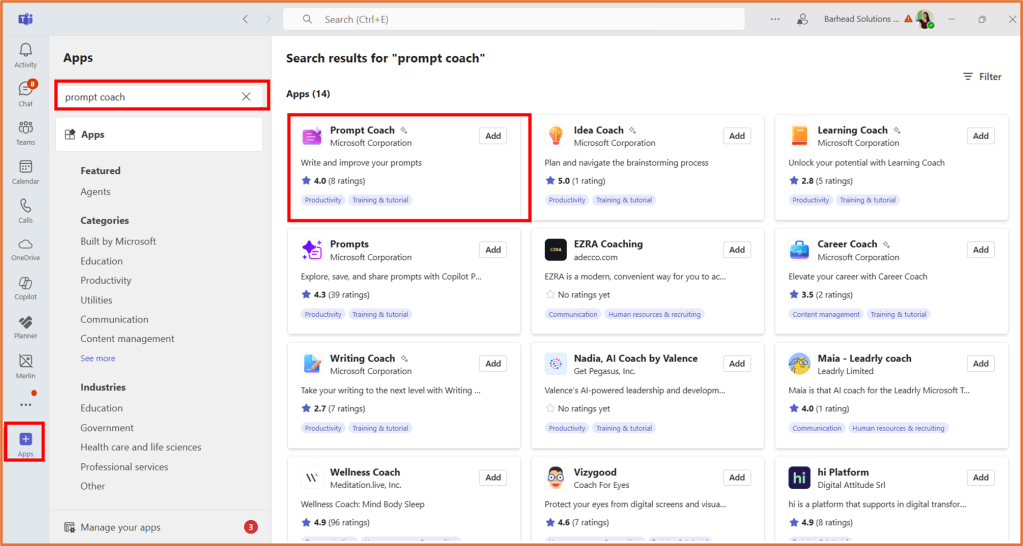
To enable Prompt Coach in your Microsoft 365 Copilot Chat experience, launch Microsoft Teams and open the App Catalogue. Search for and add Prompt Coach.

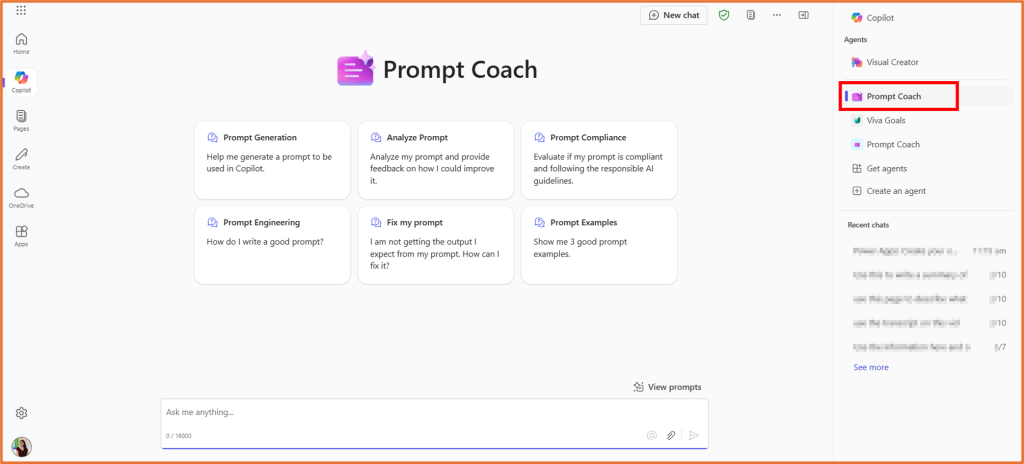
You will now be able to launch and use the Prompt Coach agent You can find it in the Copilot app in Microsoft Teams, or use it in your web browser at:
https://m365.cloud.microsoft/chat

 Rishona Elijah