
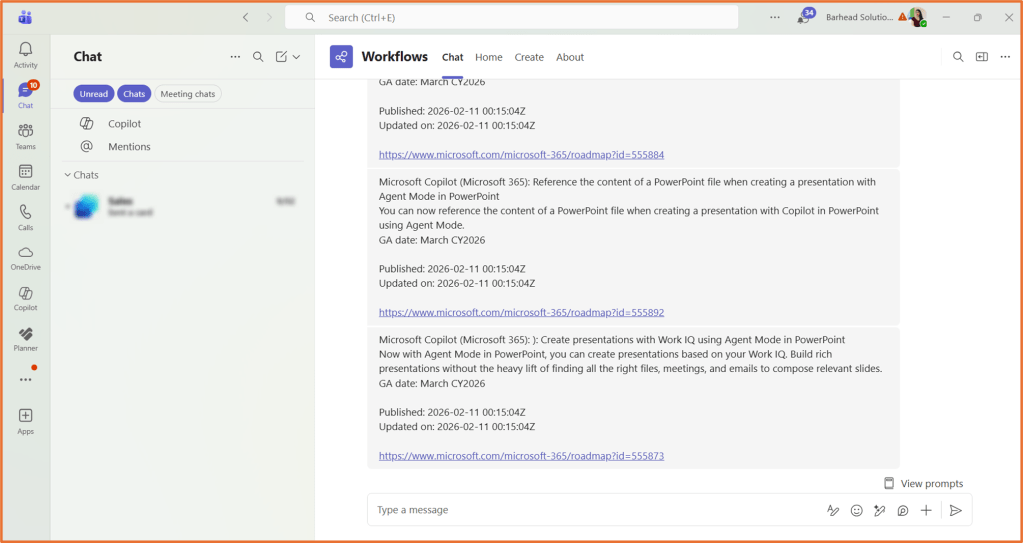
Microsoft releases Copilot updates constantly. New features appear on the roadmap, timelines change and previews quietly roll out. To stay on top of what is new and upcoming, you can browse the M365 Roadmap https://www.microsoft.com/en-au/microsoft-365/roadmap. With Power Automate, you can use the RSS feed of the roadmap to get notified straight away when Copilot-related topics are created or updated. The flow will send you a Teams message of the feature details.
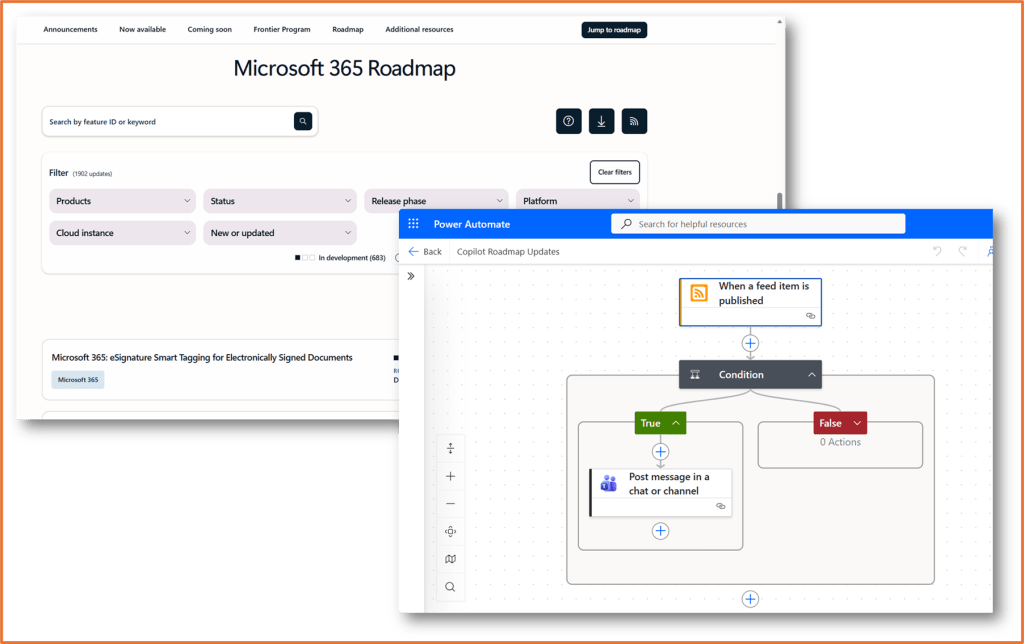
Step 1: Create the RSS trigger
Create a new automated cloud flow in Power Automate.
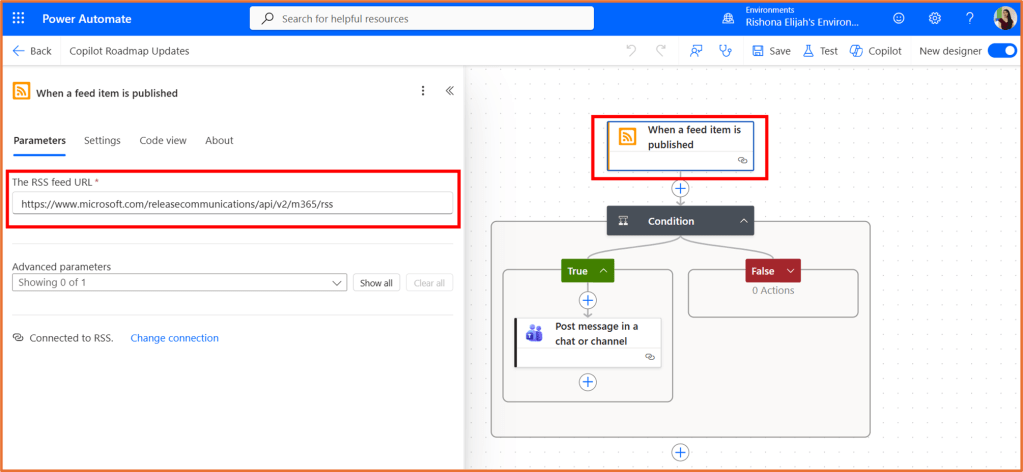
For the trigger, select When a feed item is published from the RSS connector.
In the RSS feed URL field, use:
https://www.microsoft.com/releasecommunications/api/v2/m365/rss
Step 2: Add a condition to filter for Copilot updates
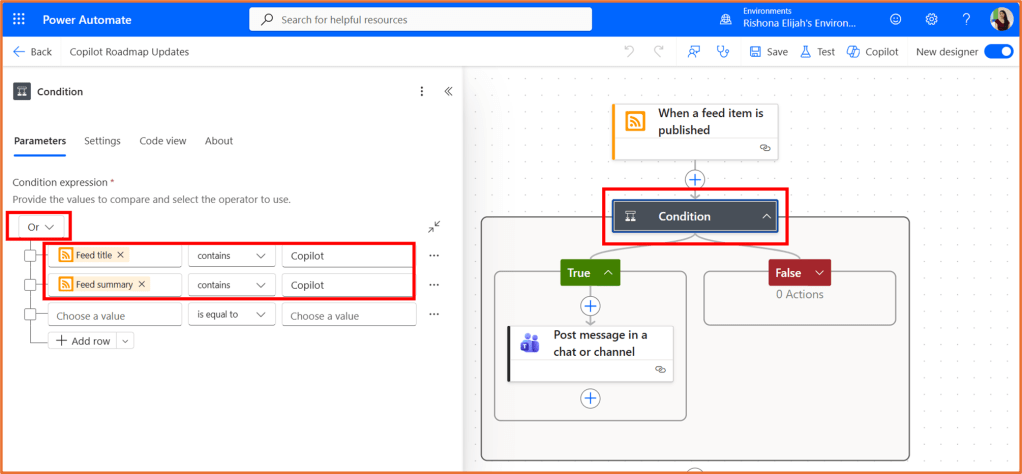
The roadmap is for all Microsoft 365. If you are only interested in Copilot-related news, you can add a condition to filter the notifications.
Add a Condition underneath the RSS trigger. It should have the following 2 conditions listed:
- Feed title contains Copilot
- Feed summary contains Copilot
Set Or.
Make sure Feed title and Feed summary are entered as dynamic content from the RSS step.
Step 3: Send yourself a Teams notification
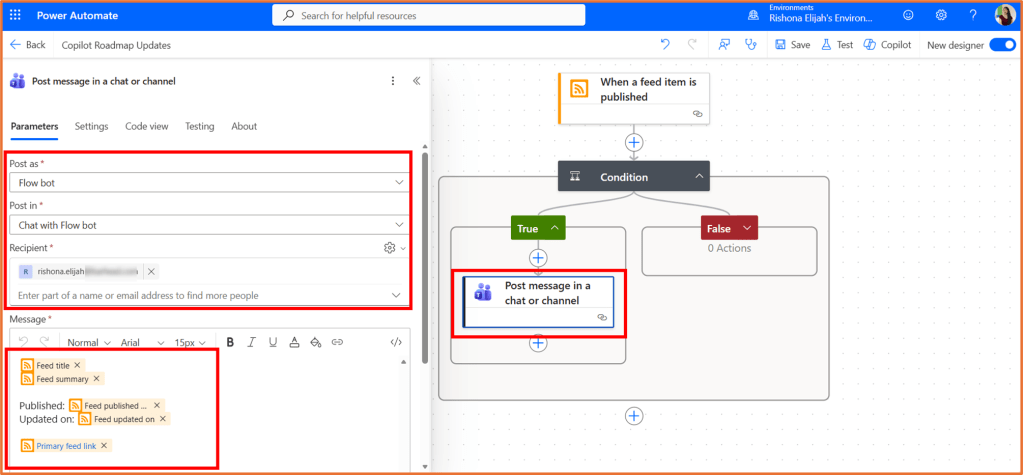
In the Yes branch of the condition, add the Microsoft Teams action Post message in a chat or channel.
Enter the details:
- Post as: Flow bot
- Post in: Chat with Flow bot
- Recipient: <Your email address>
- Message: Enter a message that uses dynamic content from the RSS feed trigger. You can copy and paste the example below.
@{triggerOutputs()?['body/title']}@{triggerOutputs()?['body/summary']}Published: @{triggerOutputs()?['body/publishDate']}Updated on: @{triggerOutputs()?['body/updatedOn']}@{triggerOutputs()?['body/primaryLink']}
Step 4: Save your flow
Your flow is now ready to go! You can save it, but you wont be able to test it until there is a feed item published on updated. The next time there is a Copilot feature updated or created at https://www.microsoft.com/en-au/microsoft-365/roadmap, you will receive the notification.

 Rishona Elijah