

Microsoft Build conference has been packed with a number of exciting announcements, particularly around AI and Copilot. Here are top 5 of my favourite upcoming features that have been announced across Power Platform:
- Agent Capabilities in Copilot Studio
- Team Copilot
- AI Flows
- AI Recorder
- Custom Copilots from SharePoint
I recommend watching this session from Build for a high level look at what’s coming to Power Platform: Shaping next-gen development: the future of Copilot in Power Platform (microsoft.com)
1) Agent Capabilities in Copilot Studio
With Copilot Studio, you will be able to customise a copilot that acts as an agent, and can automate long-running, multi-step business processes. For example, you could have a copilot to assist with your employee onboarding. The copilot will be able to guide the employee through an ongoing process which could span multiple days- from answering their questions, providing forms to complete, scheduling meetings, and more. Tasks will be able to run asynchronously, and the copilot will be able to remember the context of the conversation when the employee engages with it, so they don’t need to repeat information.
Read more: Microsoft Copilot Studio: Building copilots with agent capabilities | Microsoft Copilot Studio

2) Team Copilot
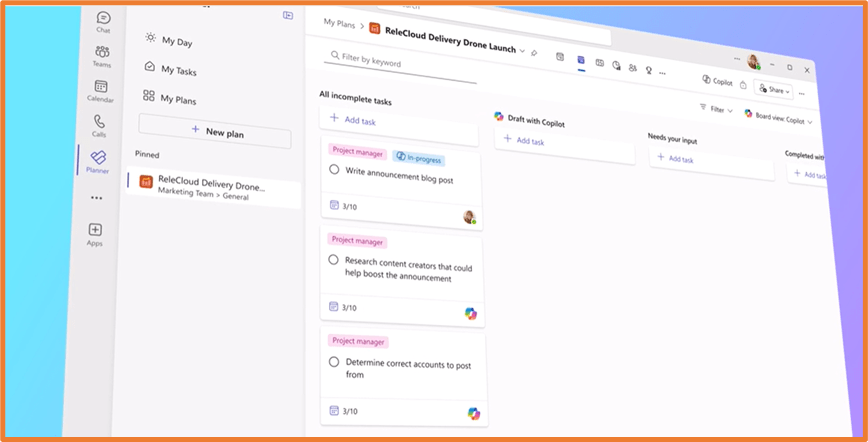
You can currently use Copilot for Microsoft 365 as your own personal assistant- for catching up on meetings, summarising chats, and highlighting tasks. Team Copilot will bring similar capabilities, but make it available to your team. It will be like having a virtual assistant as a project manager for your team. Some things you will be able to do with your Team Copilot include:
- Take meeting notes during a call
- Create follow up items from a meeting
- Surface important information from chats
- Create and assign tasks in Microsoft Planner
Read more: New agent capabilities in Microsoft Copilot unlock business value | Microsoft 365 Blog

3) AI Flows
AI flows are a new type of flow coming to Power Automate. While cloud and desktop flows focus on rules that you define, AI flows will let you incorporate unstructured data into your process, and you work with AI to create an automation plan. For example, you can:
- Describe your process in natural language
- Provide reference to documents/unstructured data that contains information about your process (like a PDF containing payment guidelines
- Validate and add any relevant inputs and outputs in the process
- Run the flow, which can include handing of conditions, exceptions and process loops
Read more: Revolutionize the way you work with automation and AI | Power Automate Blog (microsoft.com)

4) AI Recorder
AI Recorder will transform how desktop flows are created. Currently, desktop flows are created via Power Automate Desktop recording user clicks and keystrokes on their screens. This will now be complemented with multimodal AI recording- you’ll be able to record your screen, but also explain your steps with your voice. It becomes a “show and tell” experience, and AI will use the inputs from the recording to create your flow.
Read more: Revolutionize the way you work with automation and AI | Power Automate Blog (microsoft.com)

5) Custom Copilots from SharePoint
Most organisations keep policies, FAQs and procedures in files stored in SharePoint. Within a few clicks, you’ll be able to convert those files into your own custom copilot. You can begin in SharePoint, select your relevant files, and in a few minutes the copilot will be generated. This is a quick way to pull together all your information and let staff find answers to their questions on demand.
Read more: Microsoft Build 2024: Create custom copilots from SharePoint – Microsoft Community Hub


 Rishona Elijah