
In a previous post, I have detailed how to build a Power Automate flow that can pull a list of upcoming events from your calendar. What if you want to extract a different list each time? Here, I will show you a modification you can make to your flow so that you can enter the event subject/title as a filter, and the flow will extract the events that match the condition.
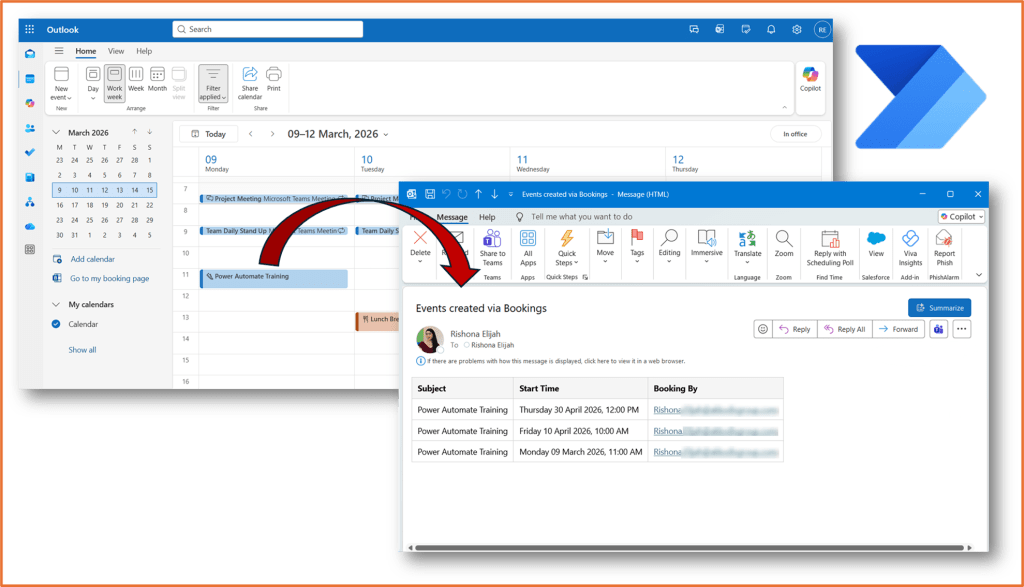
Step 1: Build the flow
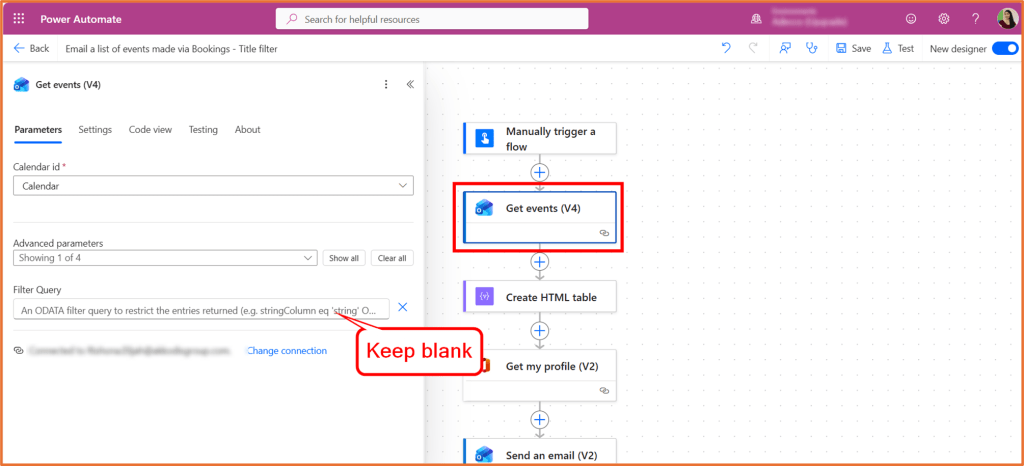
Refer to Power Automate: Email yourself a table of your upcoming calendar events – Rishona Elijah and build the flow. For now, leave out the Filter Query in Step 2: Get Events. The new flow requires a different filter query.
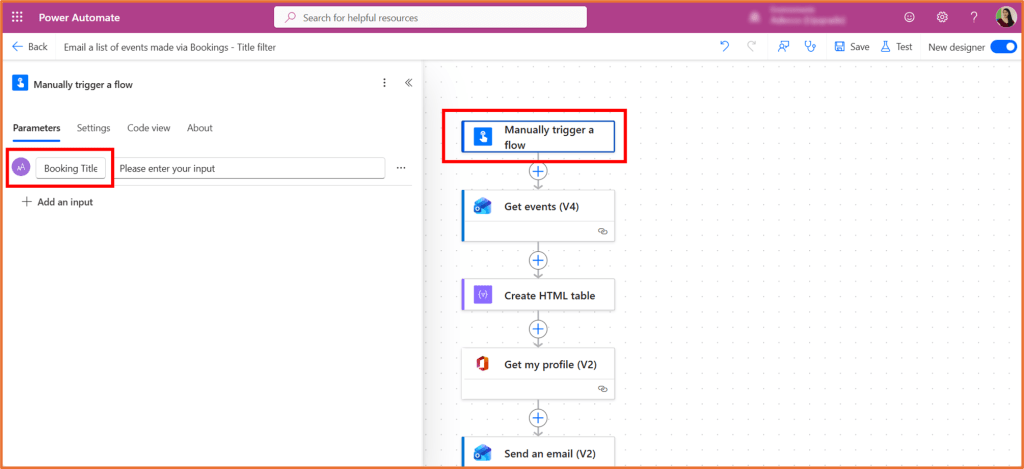
Step 2: Add an input to the trigger
Expand the flow trigger, Manually trigger a flow. Click +Add an input > Text. Name the input Booking Title.
Step 3: Add a filter query for the event
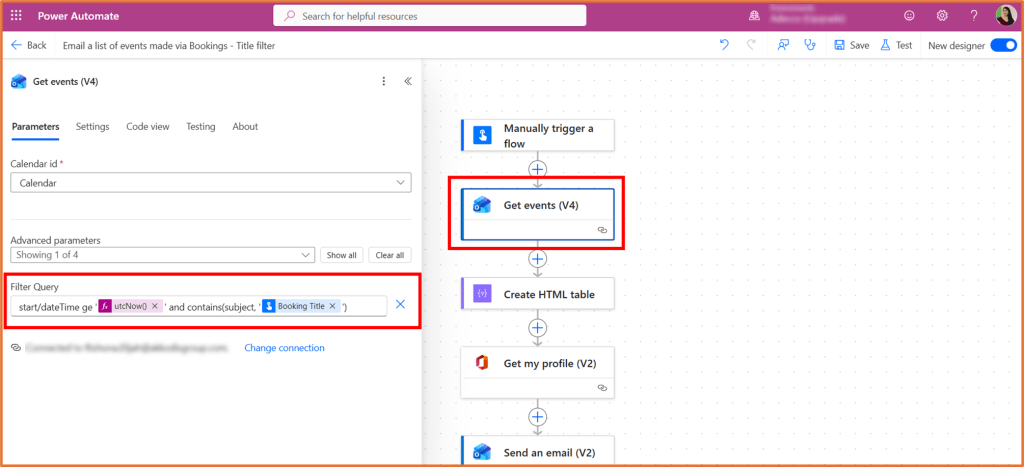
Your flow should have the Get events action. Expand it, and enter the following filter query.
start/dateTime ge '@{utcNow()}' and contains(subject, '@{triggerBody()?['text']}')
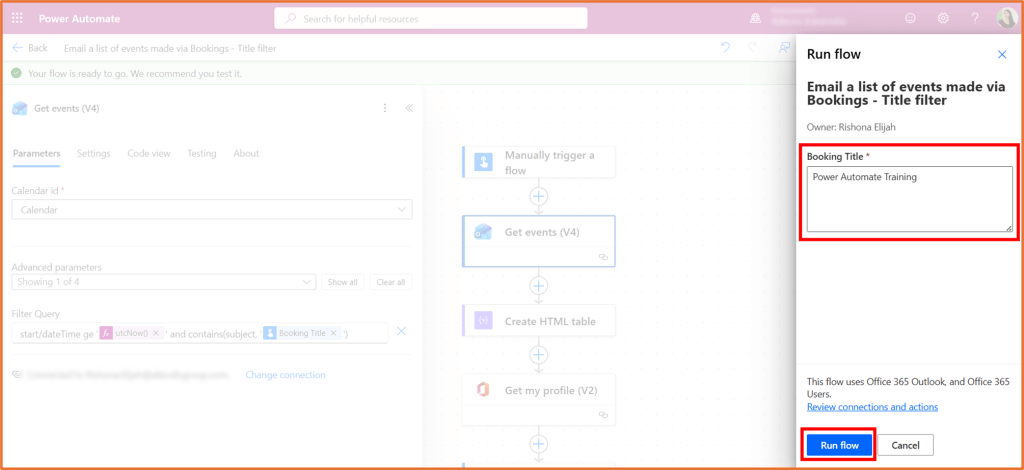
Copying and pasting the code above in the Filter Query field should make it appear as the screenshot below. It uses an expression (pink box) for utcNow() and it uses dynamic content (blue box) to reference the input you added, Booking Title.
Step 4: Save and test the flow
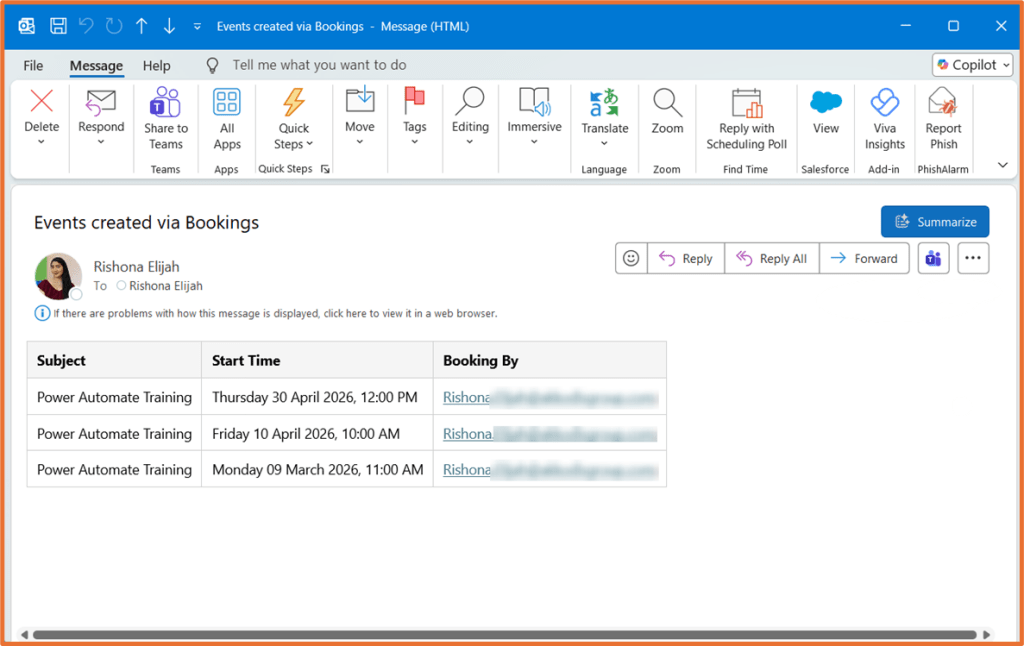
Save and test the flow. Upon testing, you will be asked to enter a Booking Title. This will look through and retrieve a list of future events that contain the text in the Subject field of the event.

 Rishona Elijah